


Docx Reader & Word Office
4.128.00 Reviews
App Specs
- Version
- 2.0.21
- Updated On
- License
- Free
- Downloads
- 5,000,000+
- Developer
- Ganesha Gallery
- Categories
- Productivity
- Platform
- Android
Screenshots


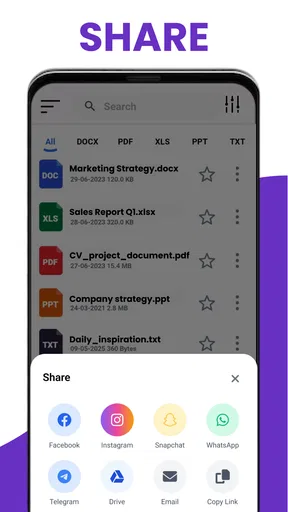

 Analysis by AppCompare
Have you ever found yourself stuck without a decent way to read Word documents on your phone? Well, let me introduce you to Docx Reader & Word Office. I’ve been playing around with this app for a bit, and it’s a real game-changer for anyone who needs to manage Word documents on the go.
Getting Started with Docx Reader & Word Office
First things first, downloading and setting up Docx Reader & Word Office is a breeze. Just hop over to your app store, and within minutes, you’re ready to roll. The interface is clean and intuitive, which means you won’t find yourself lost in a sea of buttons and options. I appreciate how the app keeps things straightforward, letting you dive right into your documents without any fuss.
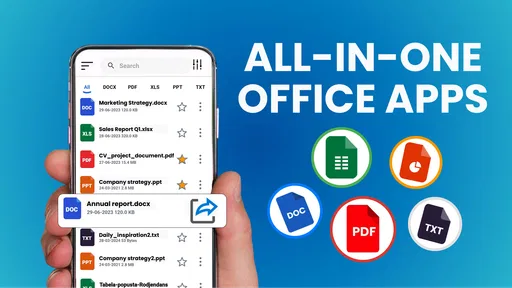
Once you open the app, you’re greeted with a neat dashboard where all your documents are organized. You can easily sync it with your cloud storage or access files directly from your phone. It’s perfect for those moments when you need to pull up a document in a meeting or make quick edits on your commute.
Features That Make Life Easier
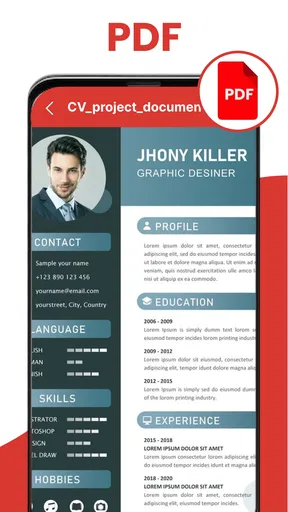
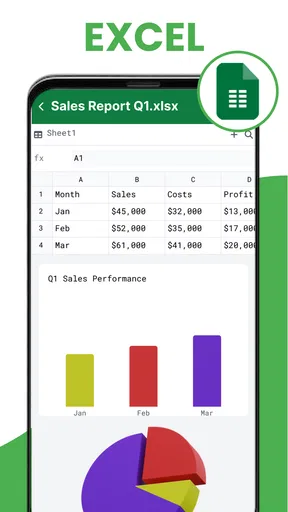
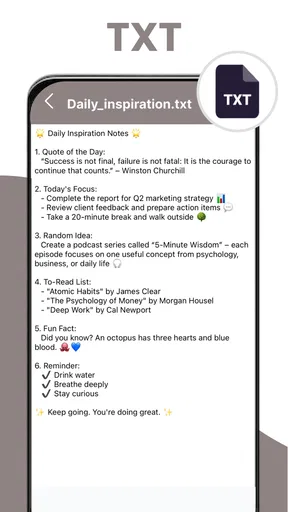
Now, let’s talk about what this app offers. One of the standout features is its ability to handle different document formats. Whether it’s a .docx, .pdf, or even .txt, Docx Reader & Word Office has got you covered. I love how I can switch between reading and editing modes with just a tap.
Another cool feature is the app’s robust editing capabilities. It’s not just about reading documents; you can make quick edits, add comments, and even track changes. This is incredibly useful for those who are constantly collaborating with others. Plus, the app supports multiple languages, so you can work in your preferred language without any issues.
Performance and Usability
In terms of performance, Docx Reader & Word Office runs smoothly without any noticeable lag. I’ve tested it on different devices, and it consistently delivers a solid experience. The app doesn’t hog your phone’s resources, meaning you can multitask without a hitch.
Usability-wise, the app’s design is very user-friendly. Even if you’re not tech-savvy, you’ll find navigating through the app to be a breeze. I particularly like the night mode feature, which makes reading documents in low-light environments much easier on the eyes.
Worth Reading Before You Choose

EA SPORTS FC Mobile 26 Is a Bigger Football Game, but It Takes Time

Flipboard Shows What News Apps Must Do Beyond the Feed

Switching to Android Auto Means Rethinking Your Driving Routine

Google Calendar Makes a Crowded Week Easier to Manage

Ludo King Makes the Most of the Minutes Between Plans

Baby Panda World Brings Quick Play to Modern Phones, but Its Game Library Feels Busy
Security and Privacy
In today’s digital age, security and privacy are paramount. I’m happy to report that Docx Reader & Word Office takes this seriously. The app incorporates encryption protocols to ensure your documents are secure, and it doesn’t store your data on external servers unless you choose to sync with cloud services. This gives you peace of mind, knowing your information is protected.
Final Thoughts
So, is Docx Reader & Word Office worth downloading? Absolutely. Whether you’re a student, a professional, or just someone who needs to access Word documents on the fly, this app is a fantastic tool to have in your arsenal. It combines functionality with ease of use, making it a reliable choice for document management.
Overall, I’ve been thoroughly impressed with what Docx Reader & Word Office brings to the table. It’s not just an app for reading documents; it’s an essential companion for anyone who works with Word files regularly. Give it a try and see how it can simplify your digital life.
Pros
- Supports multiple file formats.
- Easy-to-use interface.
- Offline document access.
- Fast document loading.
- Integrated cloud support.
Cons
- Ads can be intrusive.
- Limited editing features.
- Occasional crashes reported.
- Requires login for cloud sync.
- No dark mode option.
FAQs for Docx Reader & Word Office
What features does Docx Reader & Word Office offer?
Docx Reader & Word Office provides a comprehensive suite of features for handling Word documents on your mobile device. It allows you to view, edit, and create documents with ease. The app supports various file formats, including DOCX, DOC, and PDF. Additionally, it offers tools for annotations, highlighting, and sharing documents directly from your device.
Is Docx Reader & Word Office compatible with both Android and iOS?
Yes, Docx Reader & Word Office is designed to be compatible with both Android and iOS platforms. This ensures that users can enjoy a seamless experience across different devices. The app is optimized for performance on both operating systems, providing a consistent and efficient way to manage documents on the go.
Does the app require an internet connection to function?
Docx Reader & Word Office does not require an internet connection for basic functionalities like viewing and editing documents. However, an internet connection might be necessary for certain features, such as cloud storage access or sharing documents via email or other platforms. Offline capabilities make this app very convenient for users who need to work on the go.
Are there any in-app purchases or subscriptions in Docx Reader & Word Office?
Docx Reader & Word Office offers a free version with essential features. However, it may include in-app purchases or subscription options that unlock premium features. These might include advanced editing tools, additional file format support, or cloud storage integration. Users should review these options to decide if the premium features meet their needs.
How user-friendly is Docx Reader & Word Office for beginners?
Docx Reader & Word Office is designed with a user-friendly interface, making it accessible for beginners. The layout is intuitive, with clear icons and easy navigation. For users unfamiliar with document editing apps, the app provides helpful tutorials and tips to guide them through its features, ensuring a smooth learning curve.


